📱 How to Use Opera GX VPN on Mobile in 2025 – Free Protection Anywhere 🌍🔐
Opera GX started as a gamer’s browser 🎮, but today it’s much more: a stylish, secure way to browse the internet with a built-in free VPN. If you’ve ever asked yourself how to use Opera GX VPN on mobile, the answer is easier than you think—and it only takes a few taps! ✅
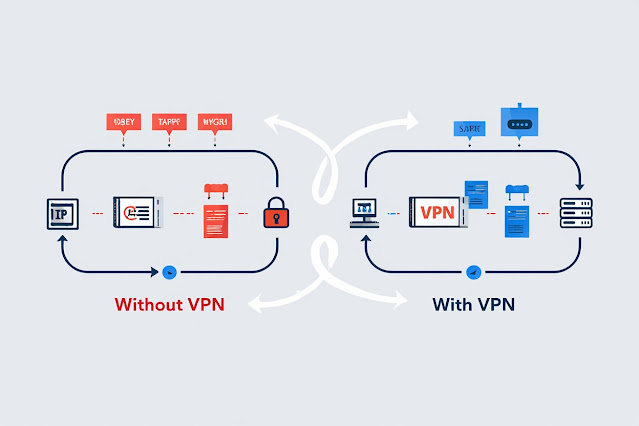
In 2025, online privacy isn’t optional anymore. From hackers on public Wi-Fi ☕ to websites tracking your every move 👀, your phone is exposed every time you go online. That’s where Opera GX VPN saves the day: free, simple, and effective.
🔒 Why Use Opera GX VPN on Mobile?
✨ Completely Free: No hidden fees or subscriptions.
🛡 Private Browsing: Hide your IP and stop trackers.
🌍 Unblock the Web: Access sites and apps restricted in your region.
📱 Seamless Experience: Works directly inside your Opera GX browser.

⚙️ How to Enable Opera GX VPN on Mobile (Step by Step)
1️⃣ Download & open Opera GX Mobile from the App Store or Google Play.
2️⃣ Tap the Settings icon (⚙️).
3️⃣ Find the VPN option → Toggle it ON.
4️⃣ Pick a virtual location (Optimal, Europe, Americas, Asia).
5️⃣ Start browsing securely—VPN will work automatically in your browser. 🚀
💡 Pro Tip: Select Optimal location for the fastest speeds ⚡.
🧑💻 Real-Life Example
I once connected to free Wi-Fi at an airport ✈️ and needed to access my bank account. Normally, that would be risky. Instead, I opened Opera GX VPN on my phone—instantly my connection was encrypted 🔐. I logged in safely and without worry.
🏆 Final Thoughts
Opera GX VPN on mobile is one of the easiest ways to stay safe online for free. While premium VPNs offer more features, Opera GX is perfect for quick privacy, unlocking content, and everyday browsing in 2025.
👉 Don’t let restrictions or hackers control your experience. Turn on Opera GX VPN today and browse with confidence. 🌟
🔗 Read the full guide here: How to Use Opera GX VPN on Mobile
🌐 Discover more VPN insights at Softbuzz

Nhận xét
Đăng nhận xét